

Invoice Intelligence: Turning Hebrew PDF Invoices into Structured Data with AI
A project from TovTech's Practical AI program, by participant Tal Wagner.
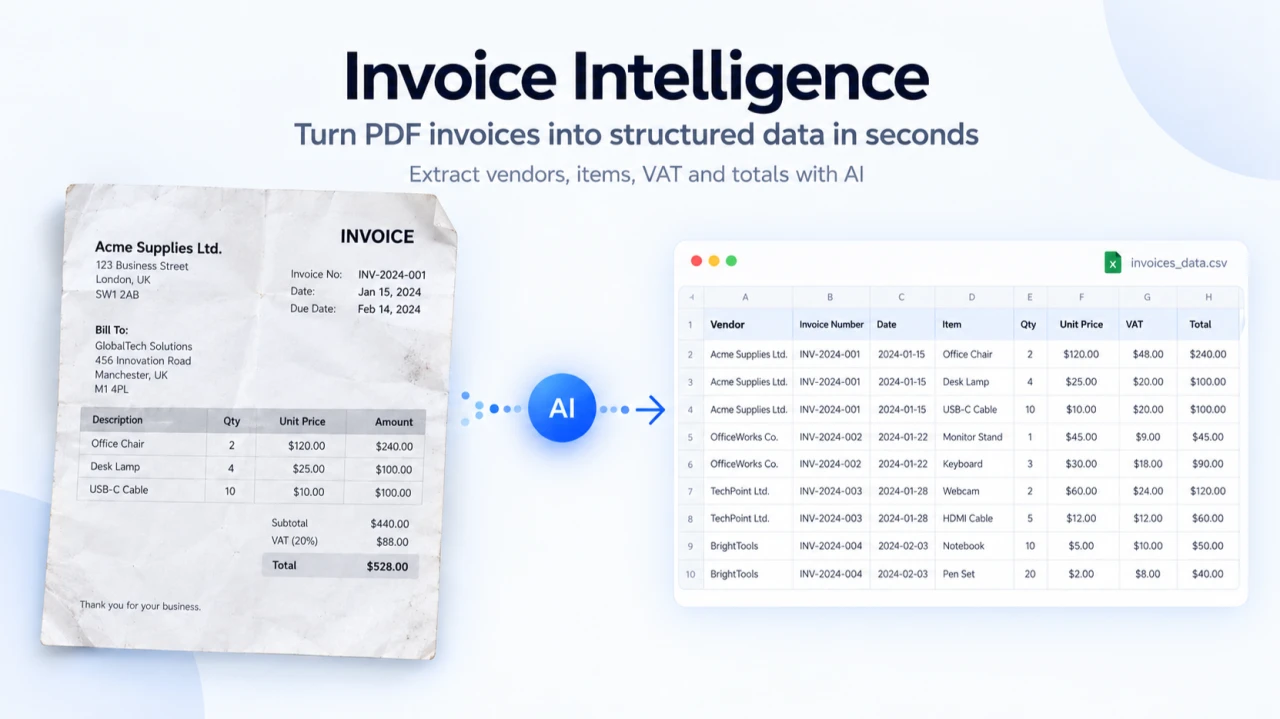
What I built
I built an app that turns Hebrew and Israeli PDF invoices into structured, searchable data. It uses Gemini 2.5 Flash, runs on Cloudflare Workers and uses Supabase as the backend. The app is password-protected for real use.
I also built a fully public demo that costs nothing to run. It uses real invoices, edited to protect privacy, instead of fake data. It runs on a completely separate cloud account, so it can never touch my real API key or database.
Why
Retyping the vendor name, items and VAT from every invoice into a spreadsheet is slow and error-prone. It's even harder for Hebrew documents, which are written right to left. Most off-the-shelf tools don't handle them well.
How it works
You upload a PDF, and within seconds you get the vendor, invoice number, items, VAT and totals. They appear in a Hebrew, right-to-left dashboard where you can browse, filter and edit invoices, and see summaries across all of them.
Under the hood
- Next.js 16 on Cloudflare Workers runs both the frontend and the backend. I don't manage a server myself, and I get fast edge deployment at almost no cost.
- Gemini 2.5 Flash handles the extraction. I chose it because it gives good accuracy for its cost when pulling structured fields from documents. It's called only from the server, so the API key never reaches the browser.
- Supabase stores the data (Postgres) and the files (Storage), so one service covers both.
- Login uses an HMAC-signed session cookie that the Worker checks on every request. It's a lightweight fit for a small app with one shared password, and it doesn't need a full authentication library.
- The public demo runs on a completely separate Cloudflare account with no secrets configured at all. That makes it safe to share with anyone without exposing anything sensitive.
What went sideways
- Thinking mode wasn't needed. Turning off Gemini's "thinking" mode cut the cost without hurting extraction accuracy.
- Fake invoices broke the display. The first sample invoices I made by hand for the demo exposed a real bug in how mixed Hebrew and English text was displayed. The fix was to use real invoices with private details removed. Along the way, I learned that covering text with a black box doesn't actually remove it. The text is still in the PDF unless you flatten the page into an image.
- A missing secret failed silently. One secret was missing from the Worker's settings. That quietly broke a background job, and nothing outside showed that anything was wrong.
The numbers
- About $0.19 a month at 100 invoices a month.
- Testing confirmed that no secret can be reached from the public demo, including by calling its API directly.
Lessons to carry forward
- Isolate public demos at the account level, not just the deployment level.
- Hiding text is not the same as removing it.
- Turn off thinking mode for tasks that don't need reasoning.
A question for you
How would you let several people use an AI feature like this without sharing one API key or its cost?
Explore the project
Built by Tal Wagner. This project was completed in TovTech's Practical AI program, where participants learn to build AI-powered applications and gain hands-on experience through real projects.